
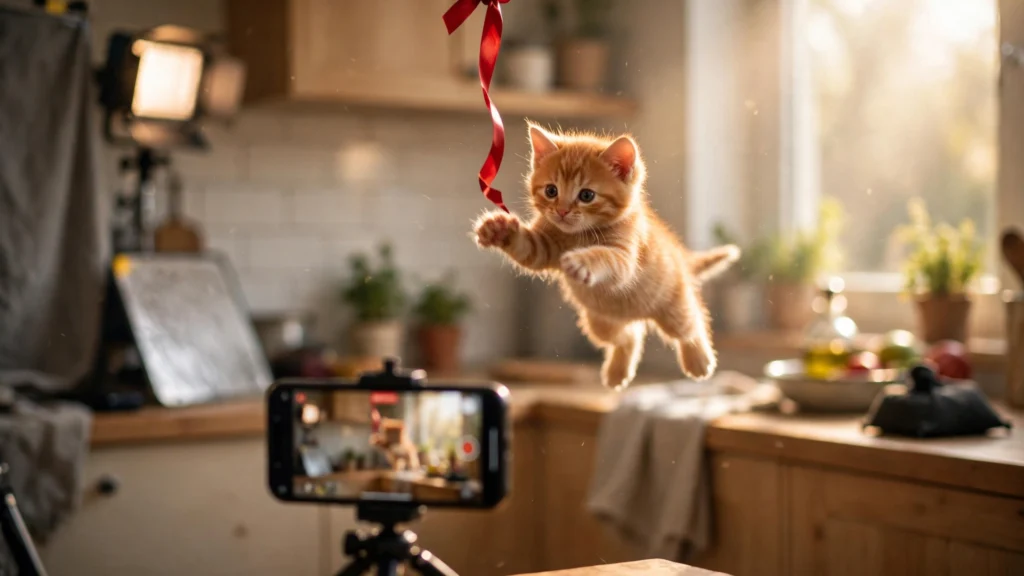
AI image prompts describe a frozen moment. AI video prompts have to describe something much harder: a moment that moves. That is why so many first attempts at tools like Google Veo come out as pretty slideshows — nice picture, no life.
The fix is to stop thinking like a photographer and start thinking like a film director with a 30-second budget. This guide gives you the 5-part formula behind every strong video prompt, the camera words that matter, and examples built the same way as the prompts in our Viral AI Lab.
What Makes a Video Prompt Different?
Three things exist in video that do not exist in a photo: movement (what changes during the clip), time (the order things happen in), and sound (music, ambient noise, silence). A prompt that only describes how things look gives the AI nothing to animate. A prompt that describes what happens — in order — produces a scene.
The 5-Part Video Prompt Formula
1. Subject and Scene
Start exactly like an image prompt: who or what, and where. “A tiny orange kitten in a sunny kitchen” gives the AI its stage and star in one line.
2. Action in Beats
Describe the clip as 2–4 small events in order: “The kitten pounces at a dangling ribbon, misses, tumbles head over heels, then sits up and shakes its head.” Beats are the heartbeat of viral clips — something new every few seconds keeps viewers watching.
3. Camera Movement
Tell the camera what to do: “slow push-in”, “static tripod shot”, “handheld phone footage, slight natural shake”, “tracking shot following the subject”, “first-person POV”. Camera language is the single biggest difference between amateur and cinematic results.
4. Look, Light and Realism
Close the visual description like a photo prompt: “warm morning light, shallow depth of field, ultra-realistic fur texture, shot on a smartphone” — or lean into a style: “Pixar-style 3D animation, bright colours, smooth motion.”
5. Sound and Format
Finish with the audio and the shape: “soft kitchen ambience and a tiny bell on the ribbon, no dialogue” and “vertical 9:16” for reels and shorts. Veo responds well to explicit sound direction — use it.
Camera Words That Actually Work
- Static / locked-off: calm scenes, ASMR, transformations — the subject moves, the camera does not
- Slow push-in / pull-back: emotional moments, reveals
- Handheld phone POV: realism and “caught on camera” viral feel
- Tracking / following shot: chases, walks, training and sports scenes
- Orbit / arc: product-style and hero reveals
- Time-lapse / slow motion: transformations and satisfying processes — say which, never both
A Weak Video Prompt vs a Strong One
Weak: “A cute kitten playing in a kitchen, realistic video.”
Strong: “Ultra-realistic vertical 9:16 smartphone footage, static camera. A tiny orange kitten in a sunny kitchen spots a ribbon dangling from a chair, crouches, wiggles, and pounces — missing the ribbon and tumbling head over heels across the tiles. It sits up, shakes its head twice, and stares at the camera. Warm morning light, shallow depth of field, soft kitchen ambience with a tiny bell sound, no dialogue.”
Same kitten. The strong version gives the AI beats, a camera decision, light, sound and format — a plan it can execute. Our AI video prompts library and the Viral AI Lab are full of prompts built exactly this way; study their structure and borrow the pattern for your own ideas.
Timing: Think in 5-Second Blocks
Most AI clips are generated in short pieces, so plan your prompt in blocks: hook (first seconds — the most striking frame or movement), build (the action develops), payoff (the funny, satisfying or emotional landing), and if you are making a longer video, a cliffhanger ending that makes viewers want the next part. If your prompt describes 60 seconds of unrelated events, the AI will rush or skip — describe one clean sequence instead.
Common Video Prompt Mistakes
- Writing a photo prompt and adding “video”. No beats, no camera, no motion = slideshow.
- Too many actions at once. One clear sequence beats five competing events.
- Contradictory camera instructions. “Static tripod” and “fast drone orbit” cannot both happen.
- Forgetting the format. Say “vertical 9:16” for reels/shorts, or you will get a landscape clip you have to crop.
- No sound direction. Silence by default feels unfinished; even “soft wind and distant birds” transforms a scene.
- Changing the character mid-prompt. Describe your subject once, precisely, and keep every detail consistent — the same discipline as keeping a face consistent in photos.
One last shortcut: if you have a rough video idea in a few words, run it through our free AI Prompt Enhancer in Video AI mode — it expands short ideas into structured prompts with action, camera and mood, which you can then adjust with the formula above.
Frequently Asked Questions
How long should a Veo prompt be?
Around 80–150 words for a single clip: subject and scene, 2–4 action beats, camera movement, look and light, sound and format. Longer prompts work for story sequences, as long as the order of events stays clear.
What is the most important part of a video prompt?
The action beats and the camera instruction. Looks get the first frame right; beats and camera make it a video instead of a moving photograph.
Should I write prompts differently for vertical video?
Only the format line changes — state “vertical 9:16” and keep the main action centred, so nothing important is cropped on phones.
Can I use the same formula for other video tools?
Yes. The 5-part structure — subject, beats, camera, look, sound/format — works in Veo, Runway, Kling, Pika and similar tools; only the length limits and sound support differ.