
10 Claude prompts for better writing — cleaner sentences, stronger openings, and text that sounds human.
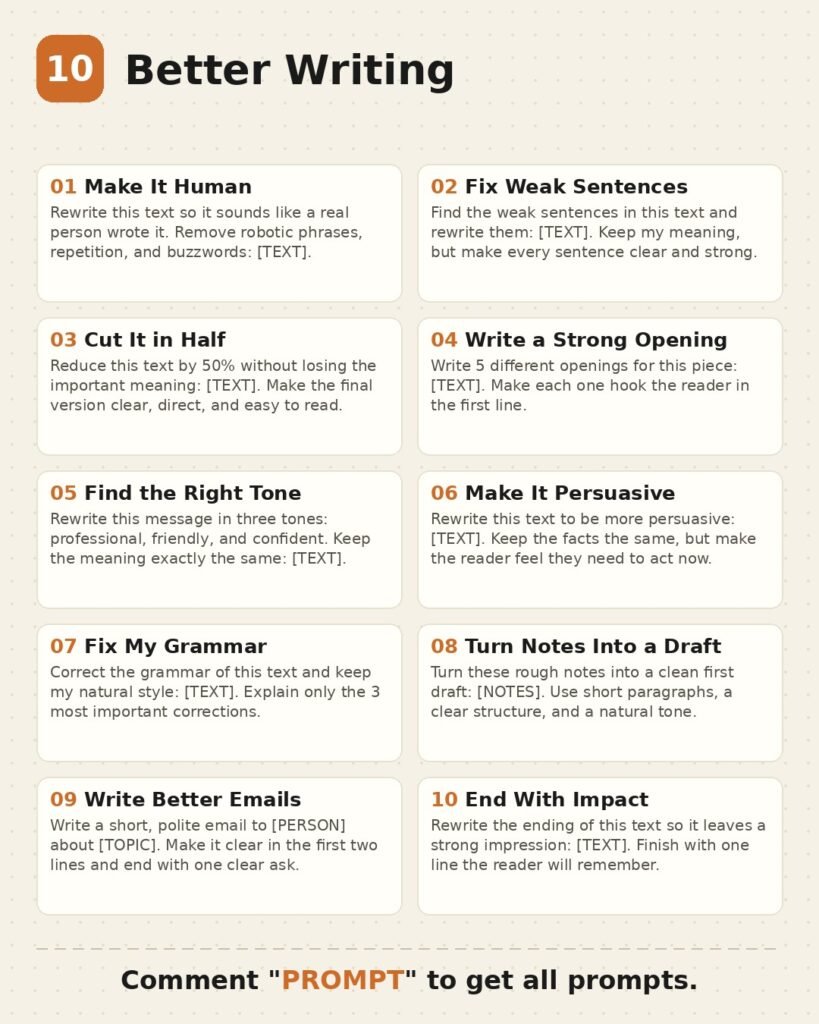
01. Make It Human — Rewrite this text so it sounds like a real person wrote it. Remove robotic phrases, repetition, and buzzwords: [TEXT].
02. Fix Weak Sentences — Find the weak sentences in this text and rewrite them: [TEXT]. Keep my meaning, but make every sentence clear and strong.
03. Cut It in Half — Reduce this text by 50% without losing the important meaning: [TEXT]. Make the final version clear, direct, and easy to read.
04. Write a Strong Opening — Write 5 different openings for this piece: [TEXT]. Make each one hook the reader in the first line.
05. Find the Right Tone — Rewrite this message in three tones: professional, friendly, and confident. Keep the meaning exactly the same: [TEXT].
06. Make It Persuasive — Rewrite this text to be more persuasive: [TEXT]. Keep the facts the same, but make the reader feel they need to act now.
07. Fix My Grammar — Correct the grammar of this text and keep my natural style: [TEXT]. Explain only the 3 most important corrections.
08. Turn Notes Into a Draft — Turn these rough notes into a clean first draft: [NOTES]. Use short paragraphs, a clear structure, and a natural tone.
09. Write Better Emails — Write a short, polite email to [PERSON] about [TOPIC]. Make it clear in the first two lines and end with one clear ask.
10. End With Impact — Rewrite the ending of this text so it leaves a strong impression: [TEXT]. Finish with one line the reader will remember.
How to Use This Prompt
- Copy the AI prompt from the prompt box above.
- Open Claude.
- Upload your reference photos if needed.
- Paste the copied prompt into the AI tool.
- Generate your result instantly.
Make it yours: Enhance this prompt or turn your result into a pin with the Pinterest Pin Maker.
Good writing is not about big words — it is about clear sentences that sound human. These 10 Claude prompts fix weak sentences, sharpen your openings, correct your grammar, and turn rough notes into drafts you are proud to share.
How to use it — Step 1: Pick a prompt from the list below that matches what you need. Step 2: Copy the full prompt text. Step 3: Paste it into Claude and replace everything in [BRACKETS] with your own details. Step 4: Send it and use Claude’s answer — ask follow-up questions if you want it refined further.
Want more? Browse all our Claude prompts — free and ready to copy.