
Step-by-step golden hour portrait tutorial for Gemini — turn any selfie into warm sunset light with one copy-paste prompt.
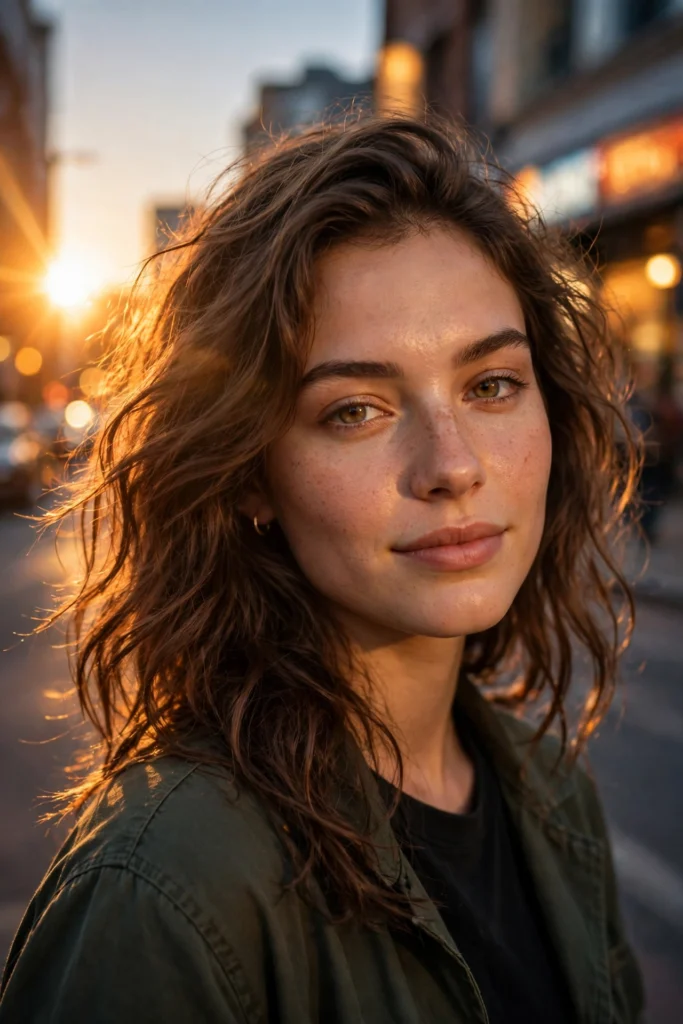
Transform this photo into a golden hour portrait. Keep the same face, hairstyle and outfit. Add warm sunset sunlight falling across the face from the left side, a soft orange glow on the skin, gentle natural lens flare, and a blurred city street background at dusk with warm bokeh lights. Photorealistic, natural skin texture with visible detail, cinematic warm color grade, vertical portrait.How to Use This Prompt
- Copy the AI prompt from the prompt box above.
- Open Gemini.
- Upload your reference photos if needed.
- Paste the copied prompt into the AI tool.
- Generate your result instantly.
Turn any plain selfie into a warm golden hour portrait in Google Gemini — no editing skills needed. Step 1: Open Gemini and upload a clear selfie with even light. Step 2: Copy the prompt above and paste it together with your photo. Step 3: Send and wait for the edit. Step 4: Want it warmer or softer? Reply “make the sunset glow stronger” or “soften the light” and Gemini adjusts the same image. Step 5: Download in full quality and share. Works best with front-facing photos taken in daylight.
Frequently Asked Questions
Which AI tool works best with these prompts?
These prompts work best with ChatGPT, Gemini, Midjourney, and other advanced AI image generators.
What photo should I upload?
Upload a clear, well-lit reference photo for the best results.
Are these prompts free?
Prompts labeled Free are free to copy and use. Premium prompts are marked accordingly.
Can I use these on mobile?
Yes - copy the prompt on any device and paste it into your AI app.