A candid gala moment in burgundy and black — she fixes his tie under a crystal chandelier. Copy the prompt and recreate this elegant evening portrait with your own photos.
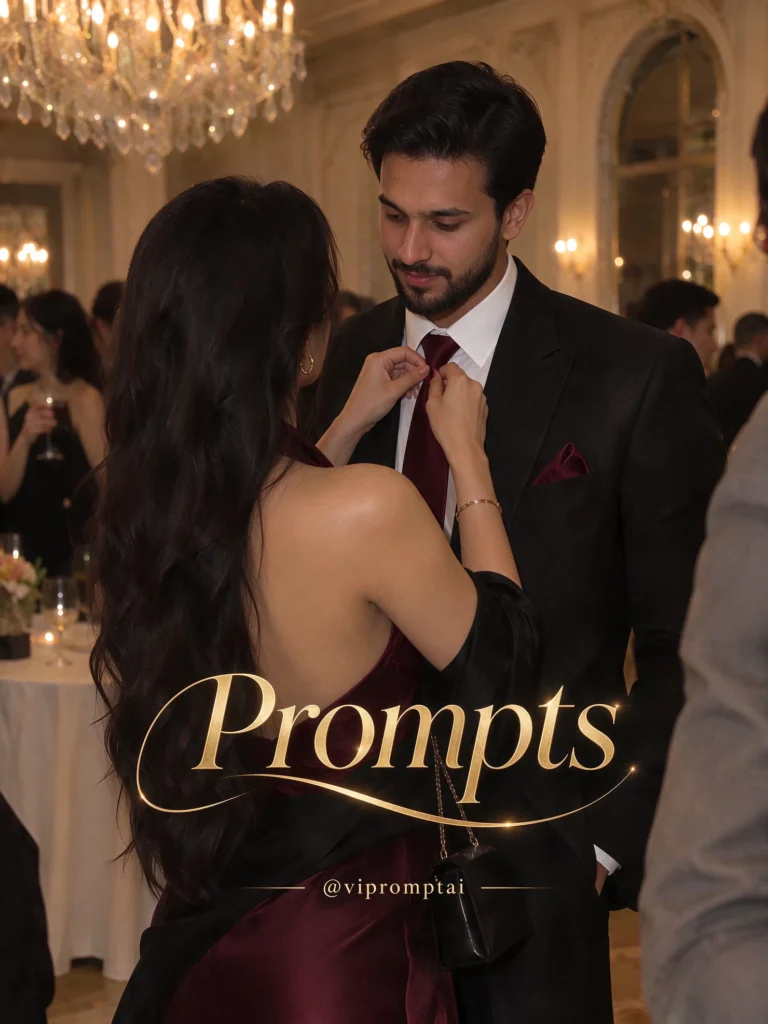
A candid, photorealistic portrait-orientation (3:4) photo taken at an elegant evening gala inside a luxurious old-world ballroom. A young woman with long, voluminous, glossy black wavy hair, seen from the side and back, stands close to a young man and gently adjusts his burgundy silk tie with both hands. She wears a deep burgundy satin halter-neck dress with a bare back, a black silk shawl draped over her arms, small gold hoop earrings, a thin gold bracelet, and holds a small black structured handbag on a thin strap. The young man has medium-length, tousled, wavy dark brown hair; he looks down calmly at his tie with a soft, serious expression. He wears a black tailored suit, crisp white shirt, burgundy tie, and a burgundy silk pocket square. Background: a sparkling crystal chandelier at the top left, warm golden wall lights, ornate arched mirrors and cream walls, blurred guests holding wine glasses, and a white-clothed table. In the right foreground, a blurred man in a grey suit is partially cut off at the frame edge. Lighting: warm, dim, moody ambient light with a soft on-camera flash look, slight film grain, shallow depth of field, rich burgundy and black tones, cinematic, intimate, shot on 35mm, candid paparazzi-style photography, ultra-detailed, realistic skin texture.How to Use This Prompt
- Copy the AI prompt from the prompt box above.
- Open Gemini.
- Upload your reference photos if needed.
- Paste the copied prompt into the AI tool.
- Generate your result instantly.
Make it yours: Enhance this prompt or turn your result into a pin with the Pinterest Pin Maker.
This prompt creates a candid, photorealistic portrait of a couple at an elegant evening gala. She wears a deep burgundy satin dress and gently adjusts his matching tie, while warm chandelier light and blurred guests fill the old-world ballroom behind them. The result looks like a real paparazzi-style photograph, shot on 35mm film.
How to use it — Step 1: Copy the prompt below. Step 2: Open Gemini and paste it. Step 3: Upload your own photo if you want the couple to look like you. Step 4: Generate the image, then adjust the dress colour, background or lighting in a follow-up prompt until it looks right.